
Buyer’s checklist · reviewed 21 September 2026
Hotel self check-in kiosk Malaysia: a 12-point buyer’s checklist.
A kiosk succeeds only when it connects the guest’s reservation to identity, payment, registration, room access and a clear staff response.
Quick answer: A hotel self check-in kiosk is a guest-facing terminal that helps eligible guests find a reservation, verify identity, complete registration and payment, sign required documents and receive a room key. It works with the hotel’s PMS, payment, identity and keycard systems; staff still handle exceptions and guests who need assistance. When comparing suppliers, evaluate this complete operating workflow rather than the screen or cabinet alone.
Teams often begin this comparison after a difficult peak, a late arrival that reached the owner or a handoff that nobody clearly owned. That frustration is useful evidence: write down the exact operating moment before asking vendors for features.
1. Define which arrivals the kiosk should handle
List the arrival types in scope: prepaid OTA bookings, direct bookings, corporate guests, walk-ins, group arrivals, late-night arrivals and returning guests. A useful first phase may handle only the most predictable journeys while directing complex cases to staff.
2. Map every reservation source
Ask how the kiosk locates each booking: reservation number, QR code, guest name, phone number, passport or NRIC. Confirm what happens when an OTA reference differs from the PMS reference, a name is spelled differently or two guests share similar details.
3. Verify the PMS integration in both directions
Do not accept “PMS compatible” as a complete answer. Document which fields the kiosk reads, which actions it writes back, how quickly status changes appear and what the front desk sees after a self-service check-in or checkout.
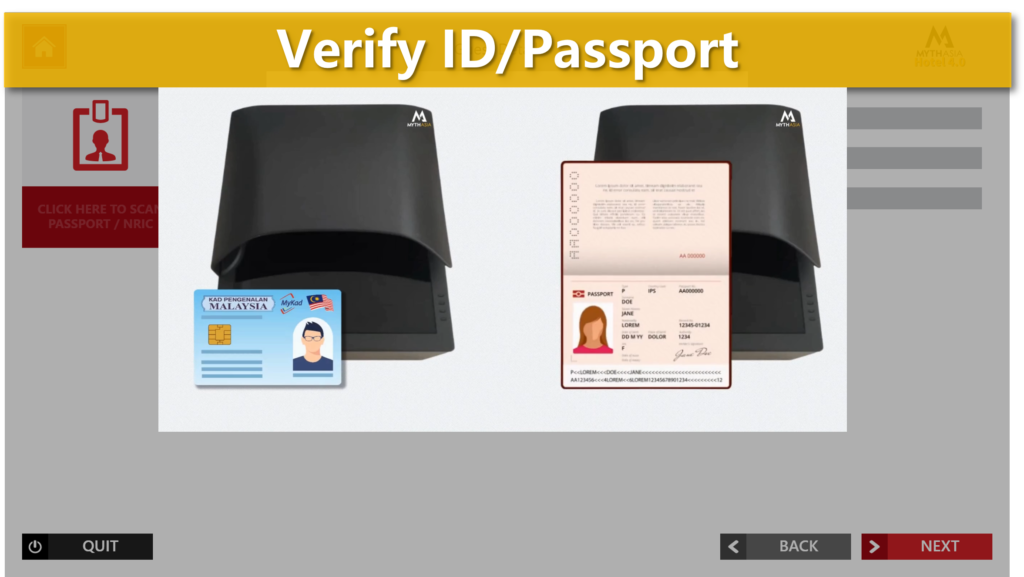
4. Define identity capture, consent and retention
Specify which documents and data are required for each guest type, why they are collected, where records are stored, who can access them and how long they are retained. The process should follow the hotel’s policy and applicable requirements rather than collecting information simply because a device supports it.
5. Test payment, deposit and charge explanations
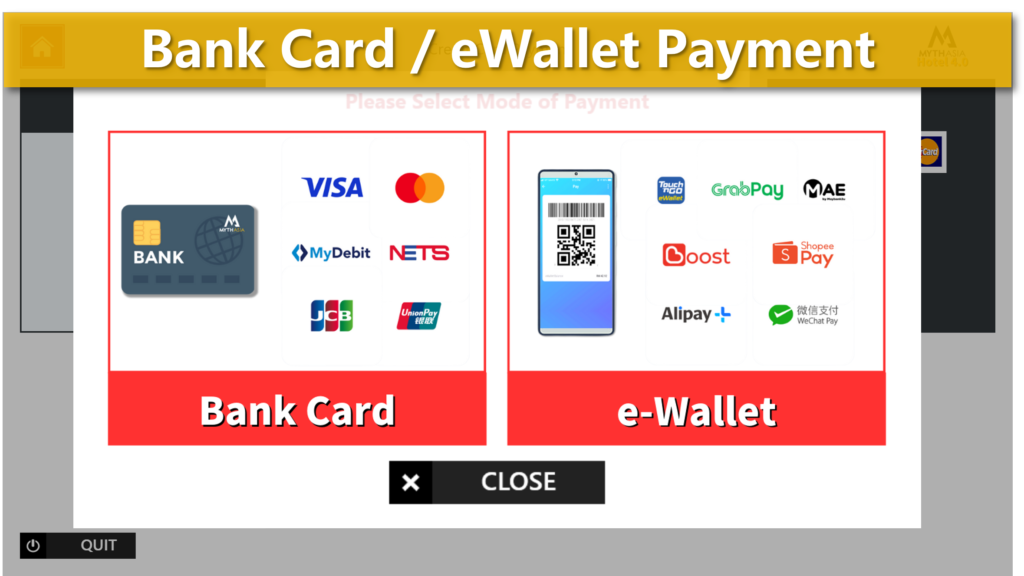
List every amount the guest may see: room balance, deposit, tourism or local charges, add-ons and refunds. The interface should explain why an amount is due, confirm successful payment and give staff a traceable result when a payment is declined or interrupted.
6. Confirm keycard and lock-system compatibility
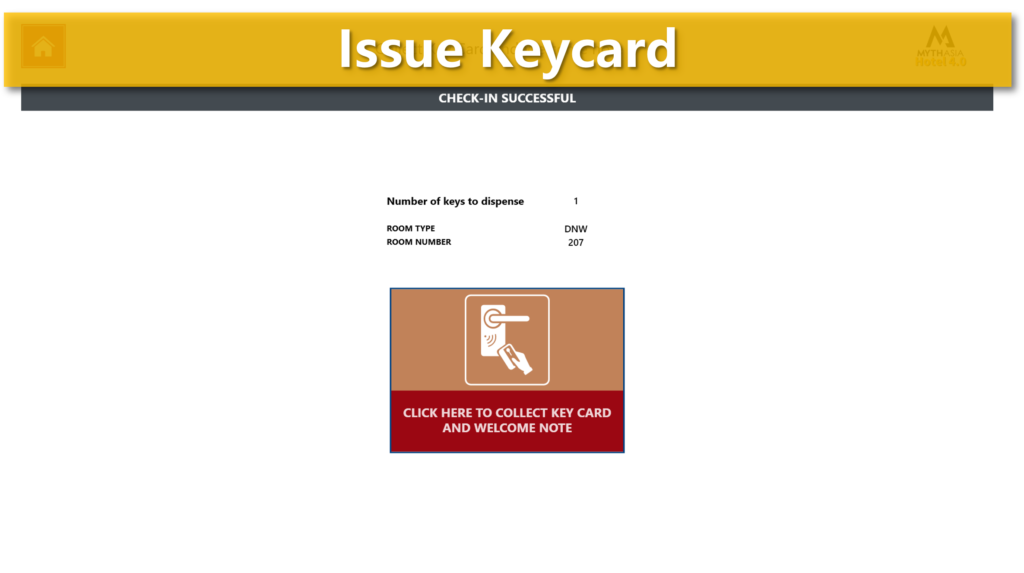
Identify the existing encoder, card type and lock system. Test room assignment, key validity dates, duplicate keys, extra guest cards, lost-card replacement and the response when the encoder or card dispenser cannot complete the job.
7. Design the exception paths before launch
Walk through at least these cases: booking not found, room not ready, identity mismatch, unpaid balance, failed payment, invalid keycard, network interruption and a guest who needs human help. Each exception needs a clear message, escalation channel and named owner.
8. Match languages and assistance to real guests
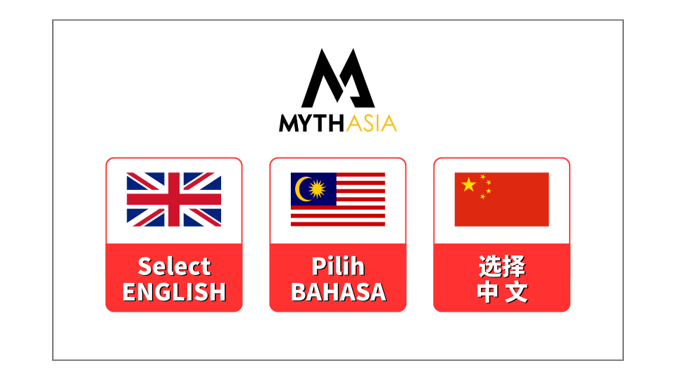
Select languages from actual guest patterns, not a feature list. Check font readability, terminology, timeout length and whether a guest can switch languages without losing progress. Provide an obvious help route for guests who cannot or do not want to use self-service.
9. Plan for connectivity and recovery
Document which steps require internet, PMS access, payment connectivity or a local device. Define safe recovery after a restart or partial transaction so a guest is not charged twice, issued two keys or left with an unclear booking status.
10. Review placement, privacy and physical operations
Assess queue space, screen privacy, wheelchair reach, lighting, camera angle, cable and power protection, receipt and card replenishment, cleaning and access for maintenance. The fastest software flow can still fail in an unsuitable lobby position.
11. Agree on support ownership and rollout
Write down who supports the kiosk, PMS connector, payment terminal, network and lock interface. Set response paths for business hours and after hours. Begin with a defined pilot, train staff on exceptions and keep a staffed alternative during stabilization.
12. Use an acceptance test, not a feature checklist
Before sign-off, run complete journeys with test reservations and realistic exceptions. Record whether the right PMS status, payment result, registration record and room access appear at the end of each journey.
Questions to ask shortlisted suppliers
- Can you demonstrate the complete flow using our PMS, payment setup and lock system?
- Which integrations are live, which require development and who maintains each connector?
- What happens to an in-progress arrival when a service or device is unavailable?
- How are access, audit logs, updates, backups and data retention managed?
- What training, go-live coverage and after-hours escalation are included?
Make supplier responsibility visible
Put the kiosk, PMS connector, payment terminal, network, identity step and lock interface into one responsibility table. Name who diagnoses each failure, who communicates with the guest, what evidence is captured and who owns escalation outside business hours.

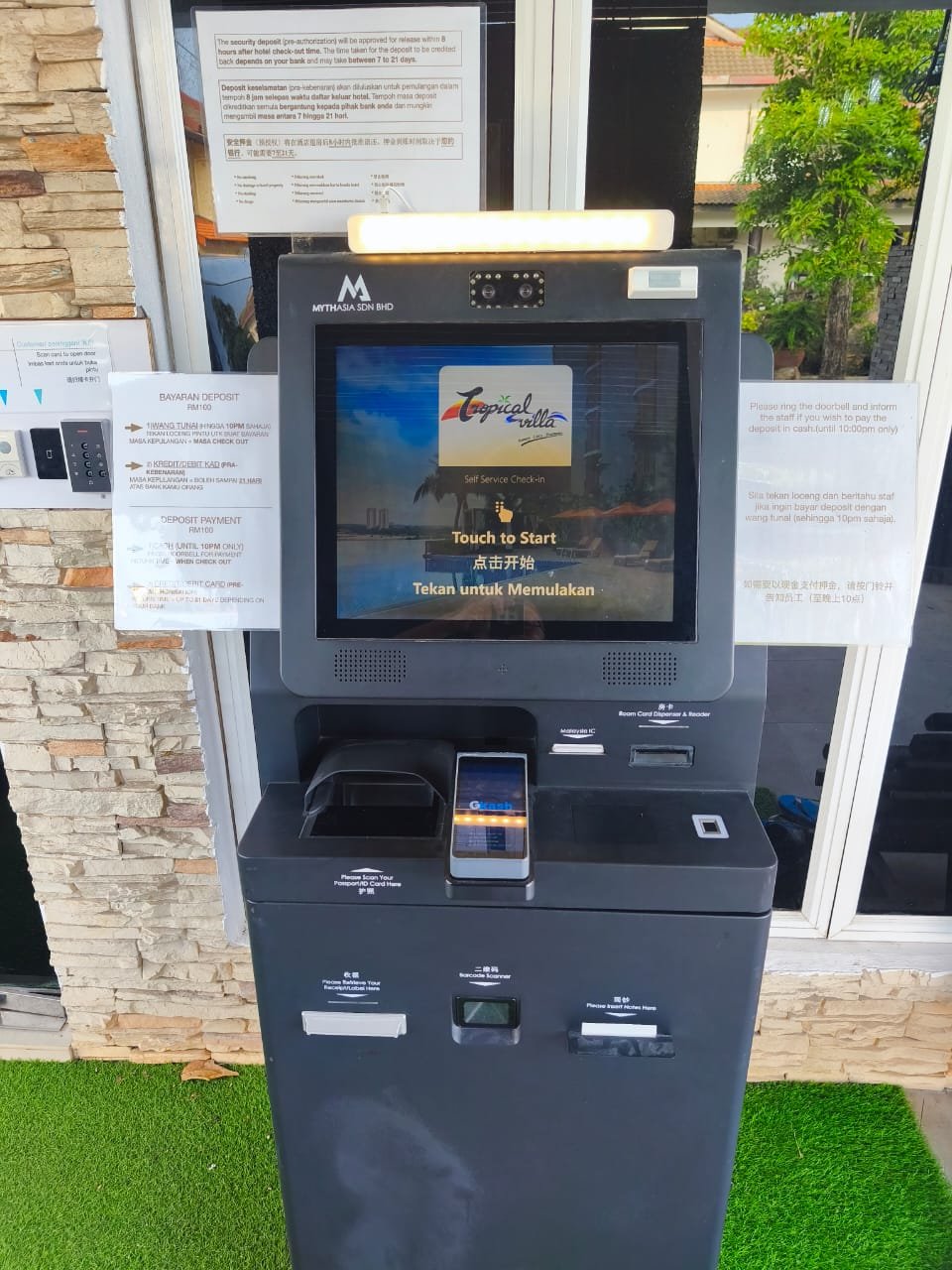
Give management a decision record
For internal approval, summarize the current bottleneck, arrival types in scope, integrations, exception owners, rollout risks, acceptance evidence, support responsibilities and the assumptions that still need confirmation. This gives management a basis for a decision without inventing a saving percentage or payback period.
Frequently asked questions
What is a hotel self check-in kiosk?
A hotel self check-in kiosk is a guest-facing terminal that helps eligible guests find a reservation, verify identity, complete registration and payment, sign required documents and receive a room key. It works with the hotel’s PMS, payment, identity and keycard systems, while staff handle exceptions and guests who need assistance.
Does a self check-in kiosk replace the hotel front desk?
It can take over defined, repetitive arrival steps, but the property still needs a clear response for exceptions, accessibility needs and guests who prefer assistance. The operating model should decide where staff create the most value.
Should a hotel choose hardware or software first?
Start with the guest journey, PMS and integration requirements. Hardware should then support the required identity, payment, signing, printing and keycard steps, along with the physical conditions of the lobby.
How should a hotel begin a kiosk project?
Choose one property, a limited set of arrival types and measurable acceptance criteria. Pilot the complete flow with staff, review exception records and expand only after the handoffs are reliable.
For the broader operating sequence, read the 2026 Malaysian hotel front-desk automation guide. Owners can use the hotel kiosk business-case framework. To inspect the product workflow and evidence, see the MythAsia hotel self check-in kiosk and real workflow cases.